
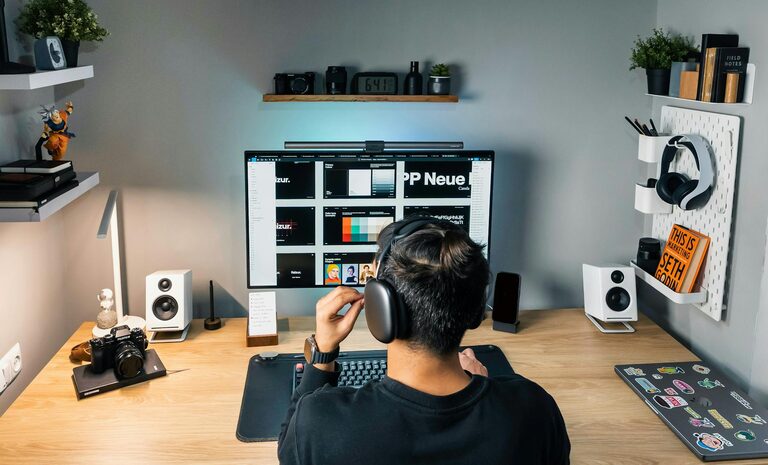
Creating a productive home workspace is essential for anyone working remotely or managing tasks from home. A well-organized and comfortable environment can help maintain focus, reduce distractions, and improve overall work efficiency. Whether you have a dedicated room or a small corner in your living space, these tips will guide you in setting up an effective home workspace.
Choose the Right Location
Find a Quiet Spot
Select a space in your home where you can work with minimal interruptions. Ideally, this area should be away from high-traffic zones like the kitchen or living room. A quiet environment helps you concentrate and reduces stress.
Consider Natural Light
Natural light can boost mood and energy levels. Position your desk near a window when possible. If natural light is limited, invest in good quality artificial lighting that mimics daylight to avoid eye strain.
Invest in Comfortable and Functional Furniture
Ergonomic Chair and Desk
A supportive chair and the right desk height are crucial for long hours of work. An ergonomic chair supports your back and encourages good posture, while a desk at the correct height prevents strain on your wrists and shoulders.
Optimize Desk Space
Choose a desk that fits your needs and space. It should be large enough for your computer, notepads, and other essentials without feeling cluttered. Extra shelves or drawers can help keep things organized.
Organize Your Workspace
Declutter Regularly
Keep your workspace tidy by removing unnecessary items. A clear desk reduces distractions and improves mental clarity.
Use Organizers and Storage Solutions
Use bins, trays, or drawers to store office supplies, documents, and gadgets. Labeling storage containers can save time when searching for items.
Arrange Essentials Within Reach
Place frequently used items like pens, notebooks, and chargers within easy reach to minimize interruptions during work.
Minimize Distractions
Control Noise Levels
If noise is unavoidable, consider noise-cancelling headphones or white noise machines to create a focused environment.
Limit Digital Interruptions
Turn off non-essential app notifications and set specific times to check emails or messages. Using browser extensions can block distracting websites during work hours.
Personalize Your Workspace
Add Plants or Artwork
Incorporating plants or artwork can create a pleasant atmosphere and reduce stress. Choose items that inspire and relax you without being overwhelming.
Choose Calming Colors
Soft, neutral colors often promote focus and calmness. Avoid overly bright or distracting colors in your workspace.
Establish a Routine and Boundaries
Set Work Hours
Define clear start and end times for your workday. This helps maintain work-life balance and signals to others when you are not to be disturbed.
Create a Transition Routine
Begin and end your workday with a consistent routine, such as a short walk or organizing your desk. This can mentally prepare you for work and help you switch off afterward.
Take Care of Your Health
Maintain Good Posture
Use ergonomic tools and take breaks to stretch and move around. Sitting too long can cause discomfort and reduce productivity.
Stay Hydrated and Snack Wisely
Keep water at your desk and snack on healthy, energy-boosting foods. Avoid sugary snacks that can lead to energy crashes.
Utilize Technology Wisely
Reliable Internet Connection
Ensure your internet connection is fast and stable to avoid disruptions during meetings or tasks.
Use Productivity Tools
Explore apps for task management, time tracking, and note-taking. Tools like calendars or to-do lists help keep you organized.
—
Setting up a productive home workspace takes some planning and adjustments, but the benefits are worth it. By choosing the right location, organizing thoughtfully, minimizing distractions, and caring for your wellbeing, you can create an environment that supports your best work every day.
